
Preconfigs
Set up agent presets with different tools, models, and behaviors.
A preconfig defines what your agent can do and how it behaves. Each preconfig bundles a system prompt, a set of tools, a default model, and spawn rules for subagents. You can create multiple preconfigs for different tasks and switch between them in any session.
The preconfigs tab
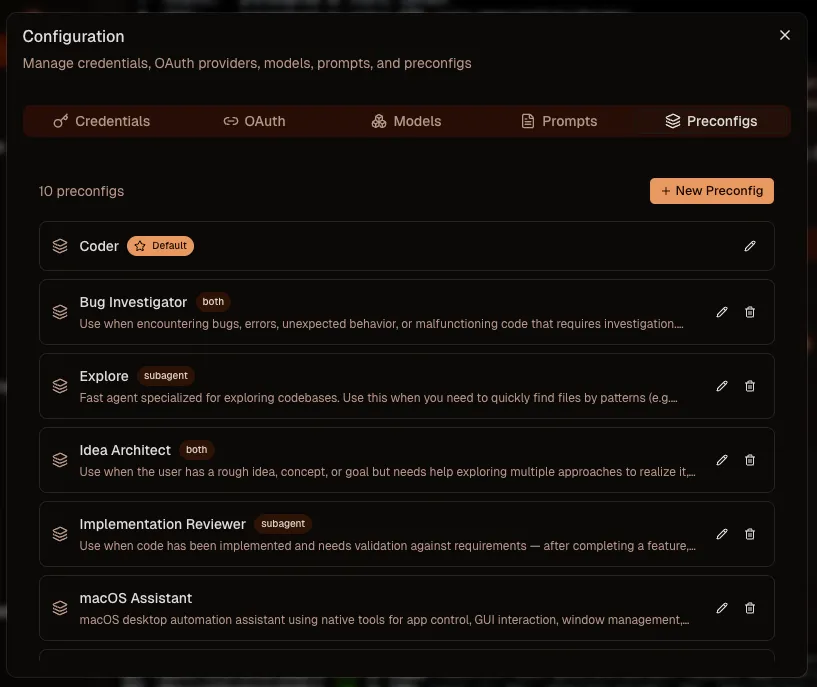
Open Configuration from the three dots menu and select the Preconfigs tab. You will see your list of preconfigs. Set one as default and it will be auto-selected when you open a new session.
Edit a preconfig
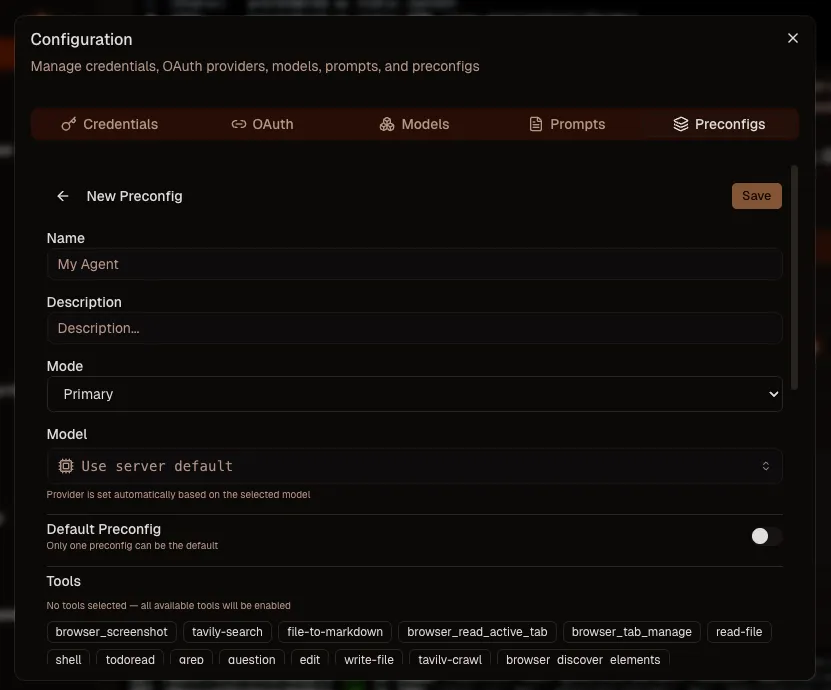
Click a preconfig to open the editor. Give it a name and a description. The description matters. Other agents use it when deciding which subagent to spawn for a given task.
Choose the model or leave it unset to inherit the session model. Toggle default if this preconfig should be auto-selected. Assign tools from the list of installed tools. Only tools you grant here are available to the agent when using this preconfig.
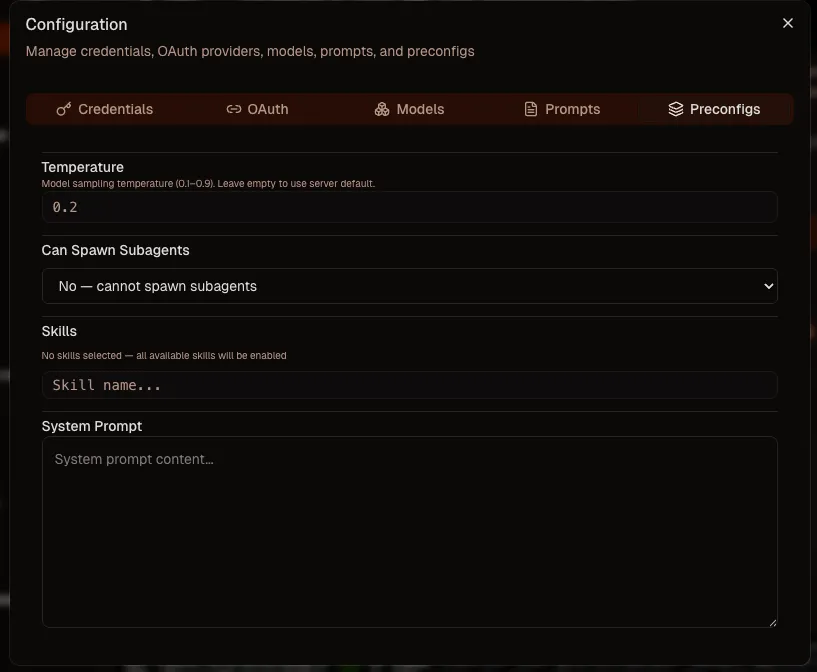
Tune the temperature to control creativity. Configure whether the agent can spawn subagents, and if so, limit which preconfigs it can use or let it use all of them.
Skills. Leave empty to use all available skills in the workspace, or pick specific ones. And most importantly, the system prompt: this is where you define the agent's actual behavior, role, and constraints.