
MCP
Connect external MCP servers to extend your agent with third-party tools and data sources.
MCP (Model Context Protocol) is an open standard for connecting AI assistants to external tools and data sources. Jean2 can connect to any MCP server, giving your agent access to APIs, databases, and services from the community.
Configuration
MCP servers are configured in .jean2/mcp.json inside your workspace directory. Create the file if it does not exist.
{
  "servers": {
    "vaadin": {
      "type": "remote",
      "enabled": true,
      "url": "https://mcp.vaadin.com/docs"
    }
  }
}
Each server has a unique name (the key under servers). Set enabled to false to disable a server without removing its config. Two types are supported:
local spawns a child process. Requires a command array. Optional: env, timeout, enabled.
remote connects over HTTP. Requires a url. Optional: headers, oauth, timeout, enabled.
Connect
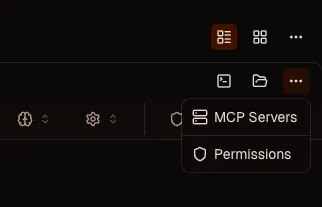
Click the three dots on the workspace header and select MCP. The dialog shows your configured servers. Click Connect to establish the connection. Jean2 validates it on the spot so you know it works before the agent tries to use it.
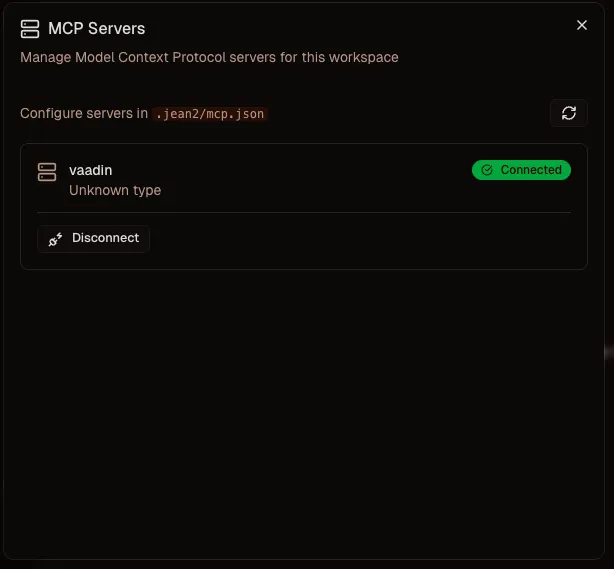
Click Disconnect to detach a server. The config stays in place, only the connection is dropped.
How it works
Once connected, the server's tools appear alongside your built-in tools. The agent sees them in the tool list and can call them like any other tool. MCP servers run as child processes of Jean2. They start and stop with the server. No separate infrastructure needed.