
Manage Prompts
Create reusable prompt templates you can trigger with /.
Prompts are reusable templates that you can trigger by typing / in the client. They're stored as markdown files in ~/.jean2/prompts/ and scan automatically — no restart needed.
Prompts Management UI
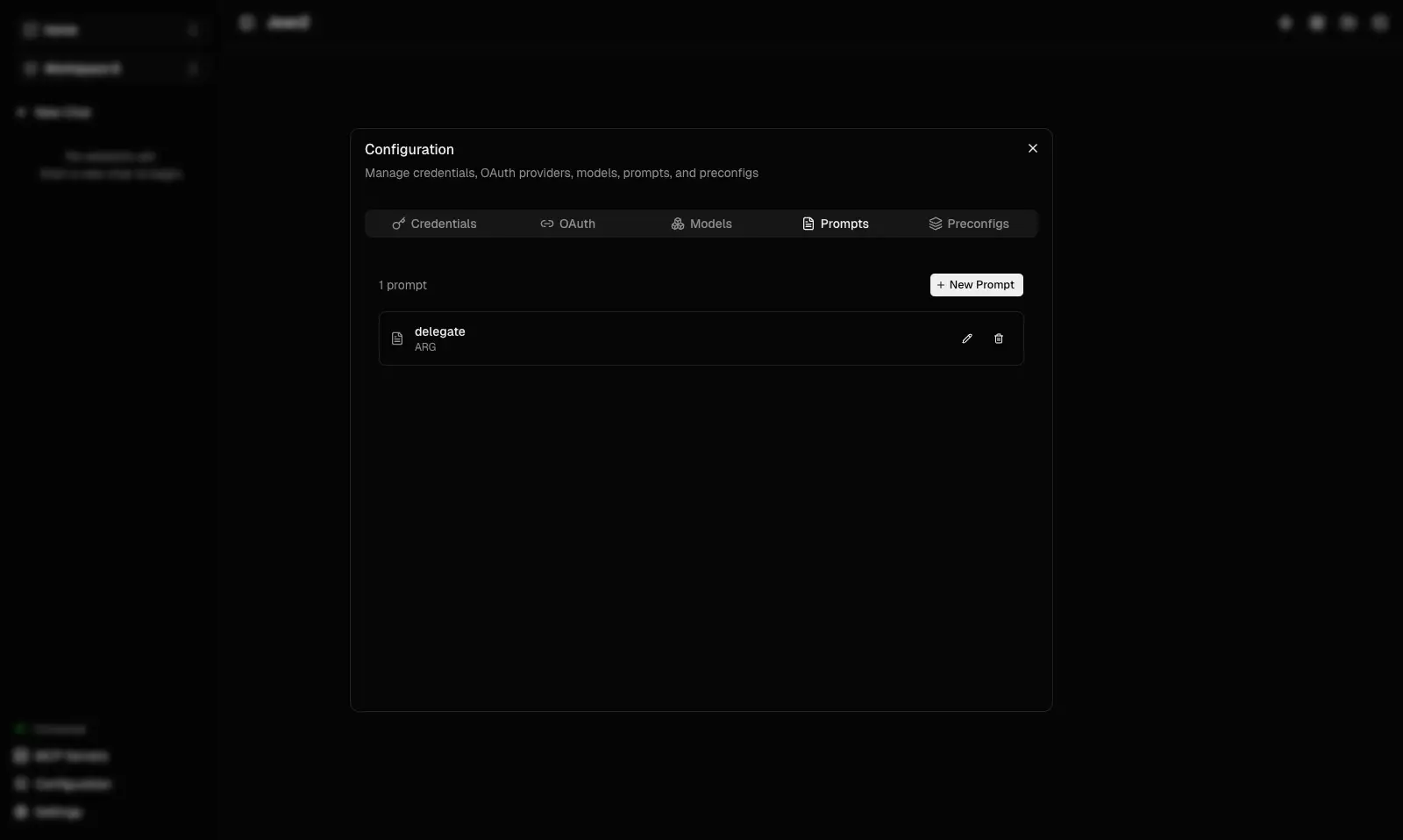
The prompts panel shows all available templates with their names and descriptions. Select one to insert it into your conversation.
Creating a Prompt
Create a .md file in ~/.jean2/prompts/. The filename becomes the prompt's trigger name, the first heading provides the description, and ARG marks where user input is inserted:
# Summarize this file

Summarize the following content clearly and concisely.

ARG
- Filename → Trigger name (e.g.,
summarize.md→ type/summarize) - First heading → Description shown in the
/picker ARG→ Cursor position for user input
How It Works
When you type / in the client, Jean shows a list of available prompts. Selecting one inserts the template with the cursor placed at ARG, ready for you to provide context.
Prompts are re-scanned automatically whenever the directory changes — just save a new file and it's available immediately.
Next: Learn how to Manage Preconfigs to save and reuse complete project configurations.
Go deeper: Read Prompts to learn about ARG placeholders, multiple arguments, and advanced template patterns.